HDShare
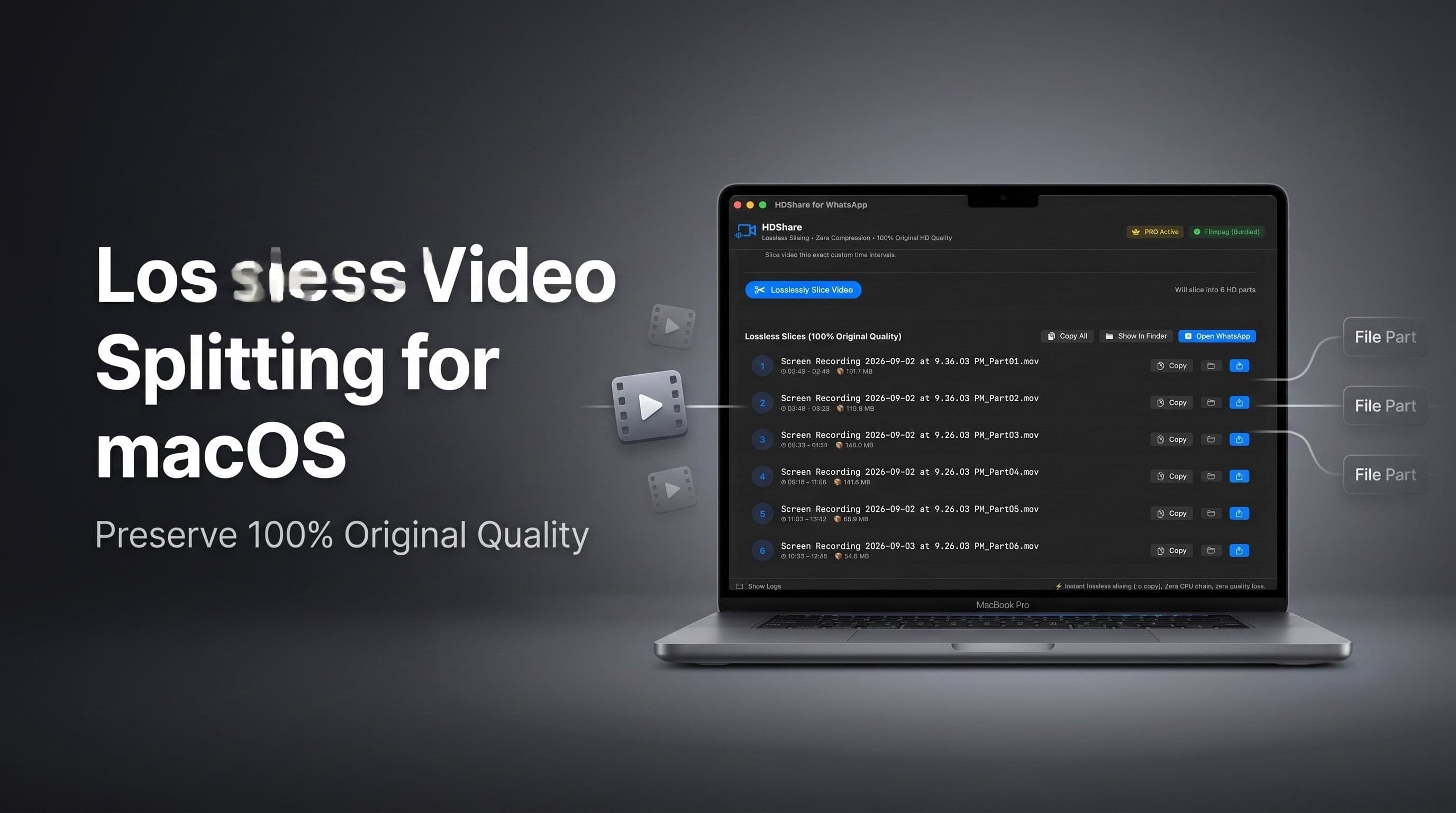
Lossless Video Splitting for macOS
Slice videos into exact parts tailored to platform file size limits — zero compression, 100% quality preserved.
⚠️ macOS Note: Requires a quick 1-time approval in System Settings.See Step 2 below →
// split modes
Split for Every Platform
Choose the right mode for your platform. HDShare calculates the optimal split points automatically.
WhatsApp Status
30-second slices
Lossless slices for WhatsApp Status / Stories.
WhatsApp Status 60s
60-second slices
Extended status updates with longer 60-second segments.
WhatsApp HD Chat
95 MB limit
Dynamically computed to stay under WhatsApp's 100 MB upload ceiling.
Discord / Email
25 MB limit
Fits Gmail, Apple Mail, Outlook, and Discord without Nitro.
Telegram
2 GB limit
Slices full-length 4K movies & recordings for Telegram.
Custom
Any size / duration
Set any target file size (MB) or custom duration (seconds).
// app gallery
HDShare in Action
Clean native macOS interface designed for maximum productivity and speed.
Main Splitting Interface
Lossless video slicing with instant progress indicators and mode presets.
// features
Why HDShare?
Built for speed and quality. No compromises.
Bundled FFmpeg
FFmpeg binary is bundled inside the .app bundle. No Homebrew or terminal setup required.
Zero Compression
No re-encoding ever. Original 4K/1080p video & audio streams preserved bit-for-bit.
1–2 Second Processing
Lossless stream copy means near-instant splitting. No waiting for video encoding.
Finder Quick Action
Right-click any video in Finder → Quick Actions to automatically open and process it directly in HDShare.
One-Click "Copy All"
Copies all split parts to the macOS clipboard for instant sequential pasting with Cmd+V.
Menu Bar + Window
Drag & drop from anywhere — use the menu bar extra or the full app window.
// how it works
Three Simple Steps
From video to shared — in seconds, not minutes.
Drop or Right-Click
Drag any video into the HDShare window or menu bar popup. Or right-click in Finder → Quick Actions.
Choose Platform & Split
Select your target platform (WhatsApp, Discord, Telegram, or custom). Click "Process & Split" — takes 1–2 seconds.
Copy All → Paste
Click "Copy All for WhatsApp", open your chat, and press Cmd+V to paste all parts in order. Done!
// pricing
Simple Pricing
Free forever for WhatsApp Status. Unlock everything else for a one-time payment.
Free
Get started with WhatsApp Status splitting at no cost.
Pro
Unlock all platforms and custom split options. Pay once, own forever.
// installation guide
Install HDShare on macOS
Follow these simple steps. Please pay special attention to Step 2 for macOS Gatekeeper approval.
1. Download & Move to Applications
- 1Download HDShare-v1.1.1.dmg directly to your Mac.
- 2Open the DMG and drag HDShare.app into your
/Applicationsfolder.
System Settings → Open Anyway
- 1Try to open HDShare once (macOS will show a blocked popup — click Cancel/OK).
- 2Open Mac System Settings → Privacy & Security.
- 3Scroll down to the Security section.
- 4Click the "Open Anyway" button next to HDShare.
- 5Confirm by clicking "Open".
Remove Quarantine Attribute
If macOS says the app is "damaged" or won't open, open Terminal and run this single command:
$ xattr -dr com.apple.quarantine "/Applications/HDShare.app"
Then launch HDShare: open "/Applications/HDShare.app"
3. Finder Quick Action (Optional Productivity Boost)
Right-click any video file in Finder → Quick Actions → "Split & Share for WhatsApp HD". Selecting your video file automatically opens and loads it directly into HDShare for instant splitting.
Ready to share HD videos without compression?
Download HDShare for free and start splitting videos in seconds. Upgrade to Pro for just $4.99 — one-time, lifetime access.
Designed for macOS • Apple Silicon & Intel • Free plan included forever
Independent unsigned release: Requires 1-time "Open Anyway" permission (Step 2)